Hire a system administrator who keeps servers, accounts and backups in order
A system administrator keeps servers, accounts, patches and backups working so that the rest of the company never thinks about them, and recovers quickly when something fails. Most resumes list the same operating systems and tools, so the clear way to choose is to see each candidate plan a real recovery or clean up real access before your team interviews.
What the hiring manager needs from a system administrator
The IT manager hiring a system administrator needs someone who can be left alone with production: patching on schedule, noticing a backup that stopped running, removing access when someone leaves, and staying calm when a host goes down at the worst moment.
A virtualisation host fails
One of the VMware or Hyper-V hosts dies and leadership asks how long until things are back. The administrator knows which systems come back first, whether the recovery targets can be met, and what proof of a real restore test exists.
Leavers who still have accounts
Before an audit, nobody has checked the HR leavers list against Active Directory and Microsoft 365. The administrator matches them, removes what is genuinely still open, and records evidence the auditor can accept.
Tickets that pile up on one shift
The desk misses its targets and the office head wants to know why. The administrator looks at the ticket data, sees that misses cluster on one shift and one request type, and fixes the cause, often with a script or a self-service change.
Patching without breaking a line-of-business app
A patch cycle once broke the finance application, and since then patches have been delayed. The administrator sets up a pilot group, a schedule and a rollback, so security updates go out without surprising anyone.
Where hiring a system administrator usually goes wrong
- Trusting certificates over hands-on work
- Vendor certificates for Windows Server, Linux or VMware cover theory well. They do not show whether the candidate has ever restored a server under pressure or written a script that removed hours of manual work.
- Asking command trivia
- Interviewers often ask for specific commands or port numbers. A system administrator looks those up in seconds; what you need to see is how the candidate decides what to restore first, or which access to remove.
- Ignoring documentation and evidence
- Audits and handovers depend on records of what was done. An administrator who fixes everything but writes nothing down leaves the team exposed the day the auditor or a new colleague asks.
- Hiring help desk experience for a sysadmin seat
- Years on a service desk build good troubleshooting, but running servers, identity and backups is a wider scope. Without real work to look at, the difference shows only after the first outage.
Real tasks from a Gateway assessment
These come from a Gateway assessment for an IT manager, with the employer’s name taken out. Gateway writes every assessment from your own job description, so the tasks your candidates get are built around your role.
A recovery plan on a whiteboard, then a note
Host loss: recovery order and restore evidence
The CTO asks whether the office would meet its recovery targets if one virtual-machine host died, and what auditors would accept as proof.
What a strong candidate did: Set the order in which systems come back and why, checked it against the recovery targets, and named the evidence to collect from a real restore test.
Code, then a note for the auditor and HR
Leaver access reconciliation before an audit
A SOC 2 audit window is closing, and the auditor wants evidence that leavers lose access. Nobody has checked the monthly leavers list against Active Directory and Microsoft 365.
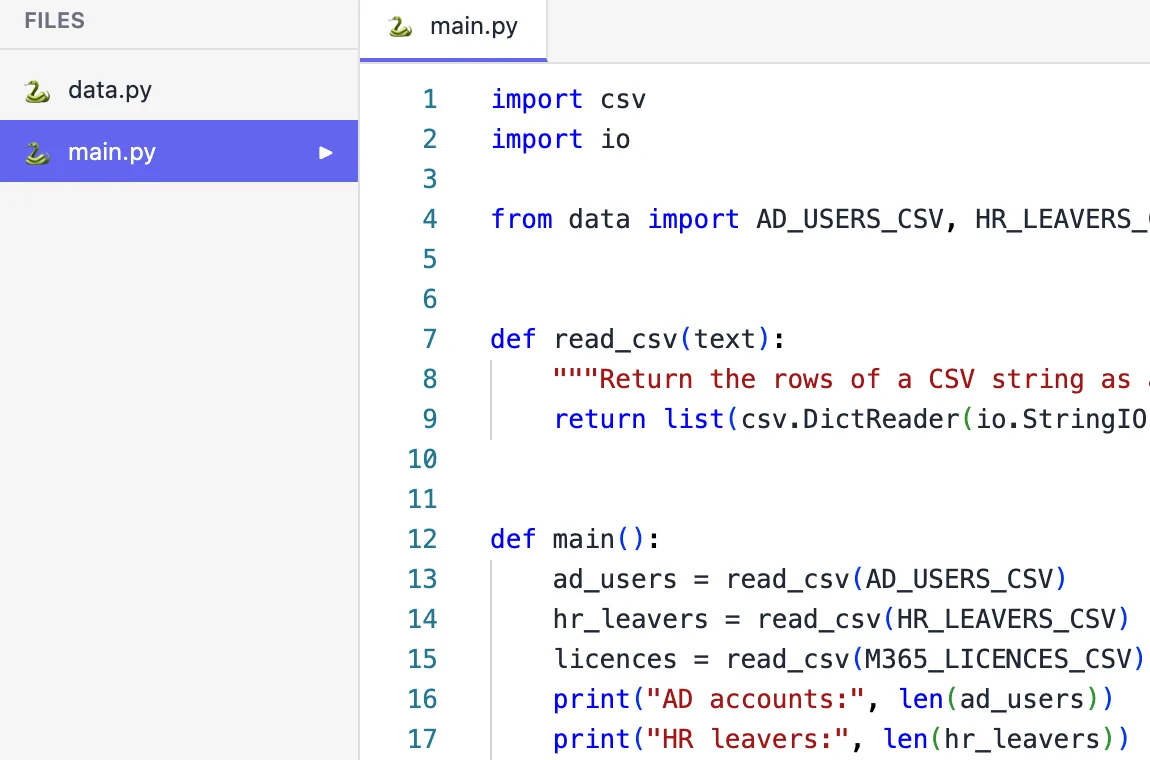
What a strong candidate did: Matched leavers to the accounts still active, separated real gaps from accounts that were fine, and wrote evidence an auditor would accept.
A spreadsheet, then a short note
Late-shift SLA breaches in the support queue
The office head asks one question: are we meeting the 95% SLA target this month, and if not, why? The support team is four people across two shifts.
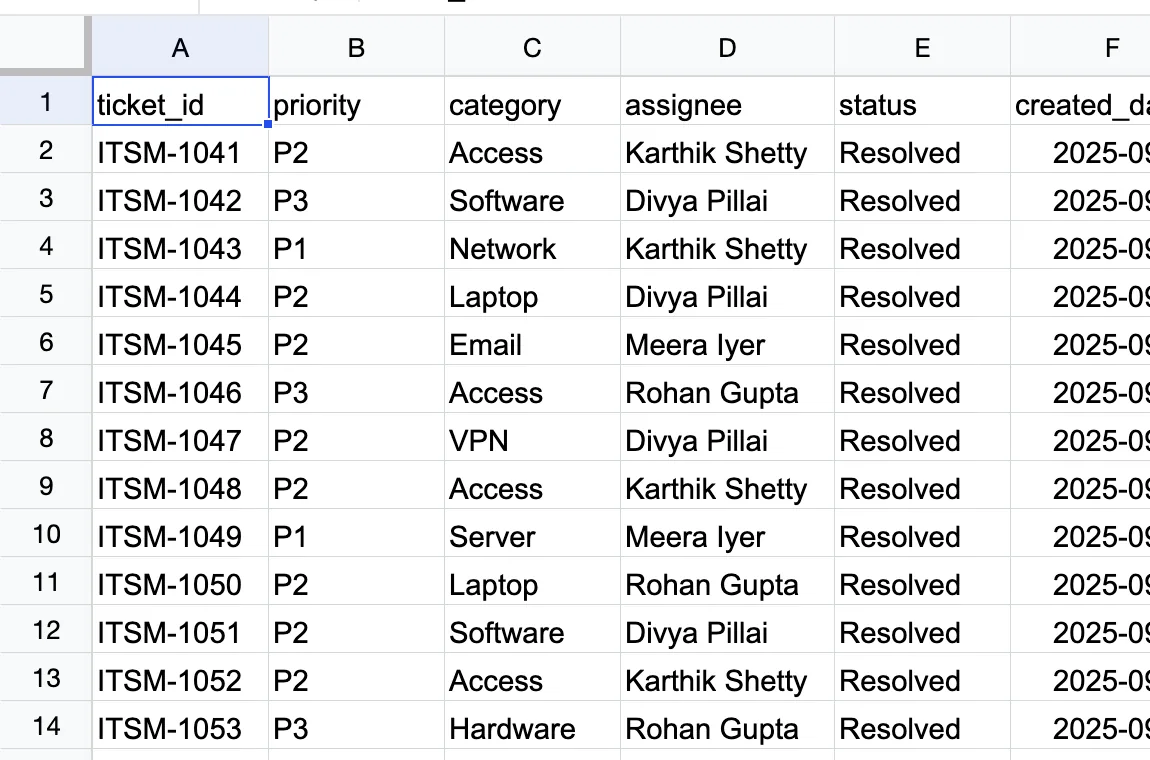
What a strong candidate did: Answered yes or no with the number, showed the misses were concentrated on one shift and one ticket type, and proposed a change that fixes it without adding a person.
How the decision gets made
With Gateway, system administrator candidates work through situations from your job description: a host failure that needs a recovery order, a leaver access check before an audit, and a question about missed service targets. They plan on a whiteboard, write scripts and short notes, and work in a spreadsheet. The IT manager sees each skill scored with written feedback and can open every plan and script read-only, then interviews only the administrators who could protect production unsupervised.
See your next system administrator at work before you meet them
Paste your job description and Gateway writes the assessment in about 5 to 10 minutes. Your team can edit every question before it goes out.
Questions
Can we test Linux rather than Windows administration?
Yes. The situations follow what the job description names, so a Linux role gets Linux systems and tooling. Your team can edit any question.
Can the candidate write real scripts?
Yes. Code tasks can be part of the assessment, for example matching accounts or checking backups, and the script opens read-only for your reviewer next to its score.
Is this worth it for a small IT team?
A weak hire is harder to absorb in a small team, because nobody else covers. Seeing real recovery and access work before interviewing keeps the IT manager's time for candidates who can already run the systems.
Can we see whether someone looked things up during the test?
Monitoring is off by default. You can turn on one of four levels, from activity only up to camera on, and review a replay. Gateway never decides on its own that someone cheated.
How fast can we send it?
Gateway drafts the assessment from your job description in about 5 to 10 minutes. After your review, each candidate gets one link and a deadline.
Related