Hire a Cypress tester who tests the front end the way users break it
A Cypress tester writes end-to-end and component tests in JavaScript or TypeScript, close to the front-end code, so a product team learns within minutes of a change whether a screen still works. Cypress experience is easy to claim, so the way to tell candidates apart is to watch each one write tests against a real front-end bug before your team spends time interviewing.
What the hiring manager needs from a Cypress tester
Teams hiring a Cypress tester are usually front-end heavy: a React, Vue or Angular app, developers who write some tests themselves, and a pipeline that runs Cypress on each pull request. The lead needs someone who controls the network in tests, keeps runs fast and stable, and writes specs the developers will happily maintain.
Search results that arrive out of order
Typing fast leaves the list showing results for an older query. The Cypress tester uses cy.intercept to delay one response and hurry another, reproduces the bug on every run, and leaves a spec that guards the fix.
A screen that hangs on loading
When a request fails, the page shows "Loading" forever. The tester stubs the failure, asserts that the page shows a clear error state, and adds the matching check for empty results.
Specs that log in through the form every time
Each spec clicks through the login screen, and the suite drags. The tester moves login to a programmatic session with cy.session, seeds data through the API and keeps the browser for what the user actually sees.
Knowing where Cypress does not fit
A checkout flow opens a second tab or passes through a payment provider's domain. The tester knows the tool's limits, covers that path another way, and tells the team instead of writing a brittle workaround.
Where hiring a Cypress tester usually goes wrong
- Assuming a Selenium background transfers directly
- Cypress runs inside the browser with assertions that retry automatically. Habits from WebDriver, such as explicit sleeps and heavy page object layers, often produce slow, confusing Cypress code.
- Ignoring JavaScript skill
- Cypress specs are JavaScript or TypeScript that sit beside the app. A tester who struggles with asynchronous rendering, command chaining or the app's own components writes specs developers refuse to touch.
- Testing only against a live backend
- Candidates who never stub the network write specs that fail whenever staging data changes. Ask how the candidate would test an error state the real server rarely produces.
- Treating a wall of green ticks as proof
- A suite can pass while asserting very little. Read what the candidate's specs actually check before trusting the pass rate in the Cypress dashboard.
Real tasks from a Gateway assessment
These come from a Gateway assessment for a full stack developer, with the employer’s name taken out. Gateway writes every assessment from your own job description, so the tasks your candidates get are built around your role.
Web code in the browser
Search results that don’t match the search box
QA reports that typing fast in an applicants page search leaves results that have nothing to do with the text, and sometimes the page says “Loading…” forever.
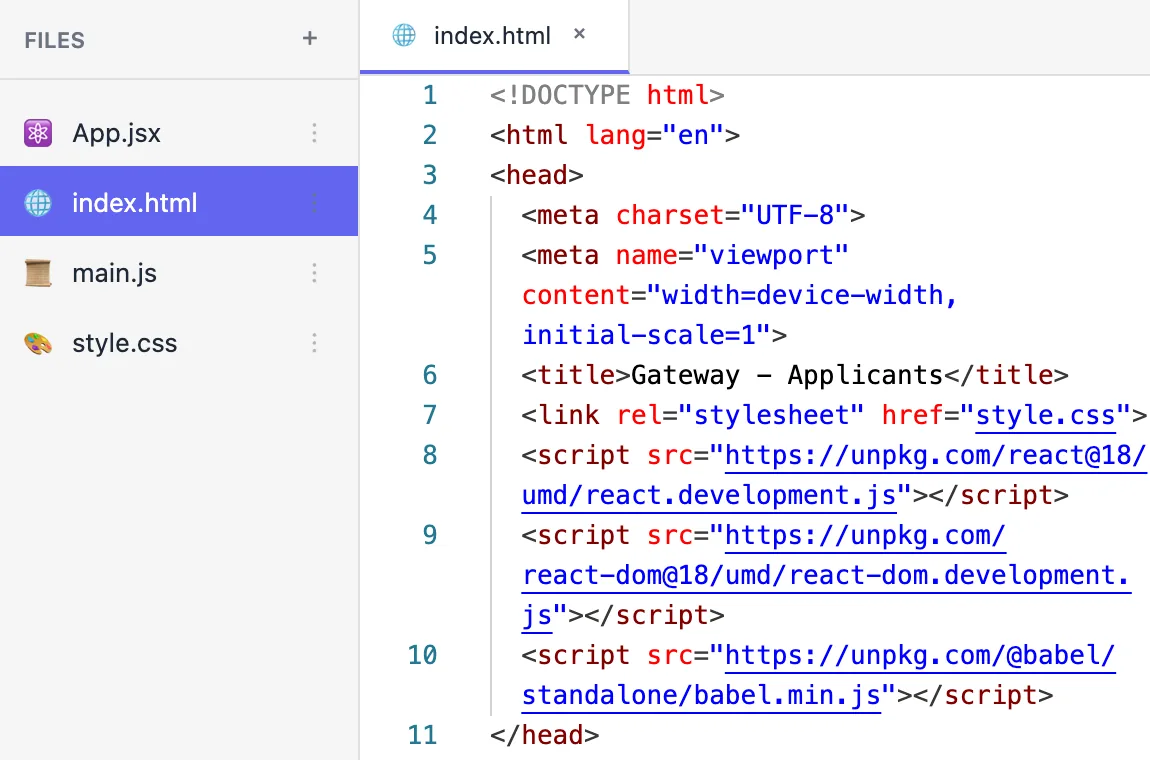
What a strong candidate did: Traced both bugs to responses arriving out of order and an unhandled failure, fixed them so the list always matches the box, and gave the page a clear error state.
Code, then a short note
Status webhooks: duplicate changes in staging
A partner job board posts application status events to a webhook. QA found some applications showing the same status change twice in their history. The candidate owns the endpoint and has to make it safe to ship.
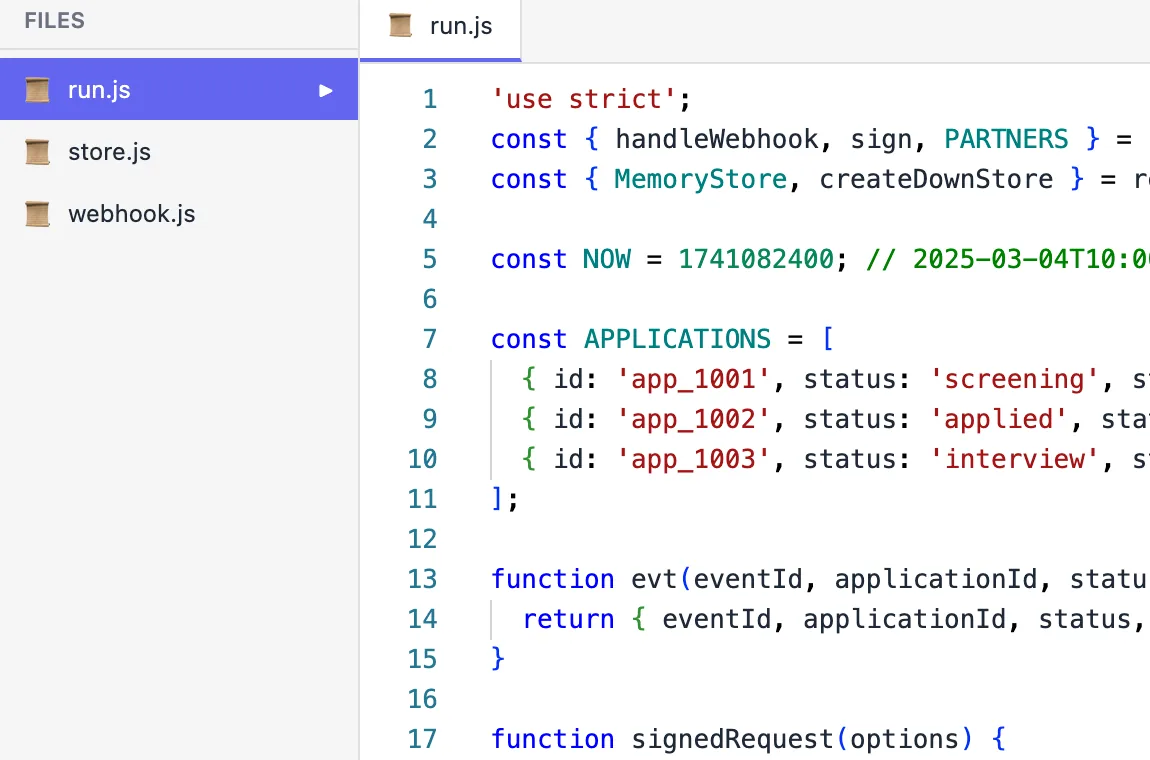
What a strong candidate did: Made each event count once even when the partner retries, rejected events that would move a status backwards, and added tests for the exact sequence QA reported.
How the decision gets made
With Gateway, each Cypress tester candidate works through situations written from your job description: a search page whose results drift from the search box and sometimes hang on loading, and a status webhook that records the same change twice. The candidate writes web code in the browser, where frontend frameworks are ready to use, and adds a short note explaining the specs. Your front-end or QA lead sees each skill scored with written feedback, opens the specs read-only, and interviews only the Cypress testers whose tests reproduced the bug and guard the fix.
See your next Cypress tester at work before you meet them
Paste your job description and Gateway writes the assessment in about 5 to 10 minutes. Your team can edit every question before it goes out.
Questions
Can candidates write tests against a React, Vue or Angular app?
Web code tasks run in the browser with frontend frameworks ready to use, and the assessment follows the stack named in your job description. Your team can edit every task before sending.
Do the tasks cover component testing as well as end-to-end?
If your job description asks for both, the tasks can include both. You see the candidate's code read-only next to a score and written feedback for each skill.
Can developers on the team review the candidate's specs?
Yes. Share results with the hiring manager along with a note, and anyone reviewing can open the candidate's work in the same tool the candidate used.
Should the assessment allow AI assistance?
You decide. An AI-assisted assessment lets the candidate use an assistant while your team sees how the candidate worked with it, which shows whether suggested selectors and intercepts were checked against the app.
Related