Hire a mobile developer who can take an app from build to store and keep it stable
A mobile developer is responsible for an app that lives on devices you do not control, runs on networks that drop, and ships through store reviews you cannot rush. Candidates describe the same platforms and frameworks, so the way to tell them apart is to see how each handles real app situations before anyone books an interview.
What the hiring manager needs from a mobile developer
When a company hires a mobile developer rather than an iOS or Android specialist, it usually wants one person, or a small team, to carry the whole app: both platforms or one codebase across them, the releases, and the complaints that arrive through store ratings. The product lead needs someone who thinks beyond the happy path on a fast phone with good signal.
An app that misbehaves offline
A field rep fills in an order in a basement with no signal, and the app shows an endless spinner, then loses the order. A capable mobile developer stores the action locally, syncs it when the connection returns, and shows the user what state the order is in.
A crash that only some devices report
Crash reports point to a screen that works on every phone in the office. The developer reads the stack traces, spots the pattern by OS version or device memory, and fixes the root cause instead of wrapping the call in a try block.
A release that store review rejected
The update was due for a campaign and came back rejected over a permission description or a payment flow. The developer knows the store guidelines well enough to fix this one quickly without a risky change, and to avoid the same rejection next time.
Notifications and links that land on the wrong screen
A push notification about an order opens the home screen, and a shared link opens the browser instead of the app. Routing deep links and notification payloads to the right screen, signed in or not, is routine work for this role.
Where hiring a mobile developer usually goes wrong
- Hiring on download counts and app names
- A resume that lists popular apps rarely says which part the candidate built. The person may have owned one settings screen in a large team, which says little about carrying your whole app.
- Testing only on a fast phone with good signal
- Interviews and demo projects almost always assume a stable connection and a recent device. Most of the hard work in mobile is everything else: lost connections, killed background processes, low memory and older OS versions.
- Not deciding native or cross-platform before hiring
- Teams post one title and get candidates from Swift, Kotlin, Flutter and React Native. Without a clear choice, interviews compare people across stacks on general talk, and the hire may not fit the codebase you actually have.
- Overlooking the release side
- Signing, build numbers, staged rollouts and store listings are part of the work. A developer who always had someone else ship the app can leave you stuck on release day.
Real tasks from a Gateway assessment
These come from a Gateway assessment for a frontend developer, with the employer’s name taken out. Gateway writes every assessment from your own job description, so the tasks your candidates get are built around your role.
Code, then a short note
Search that survives slow responses
Buyers on slow mobile connections type fast, and search responses come back out of order. An older response sometimes overwrites newer results, and a failed request looks the same as “no results”.
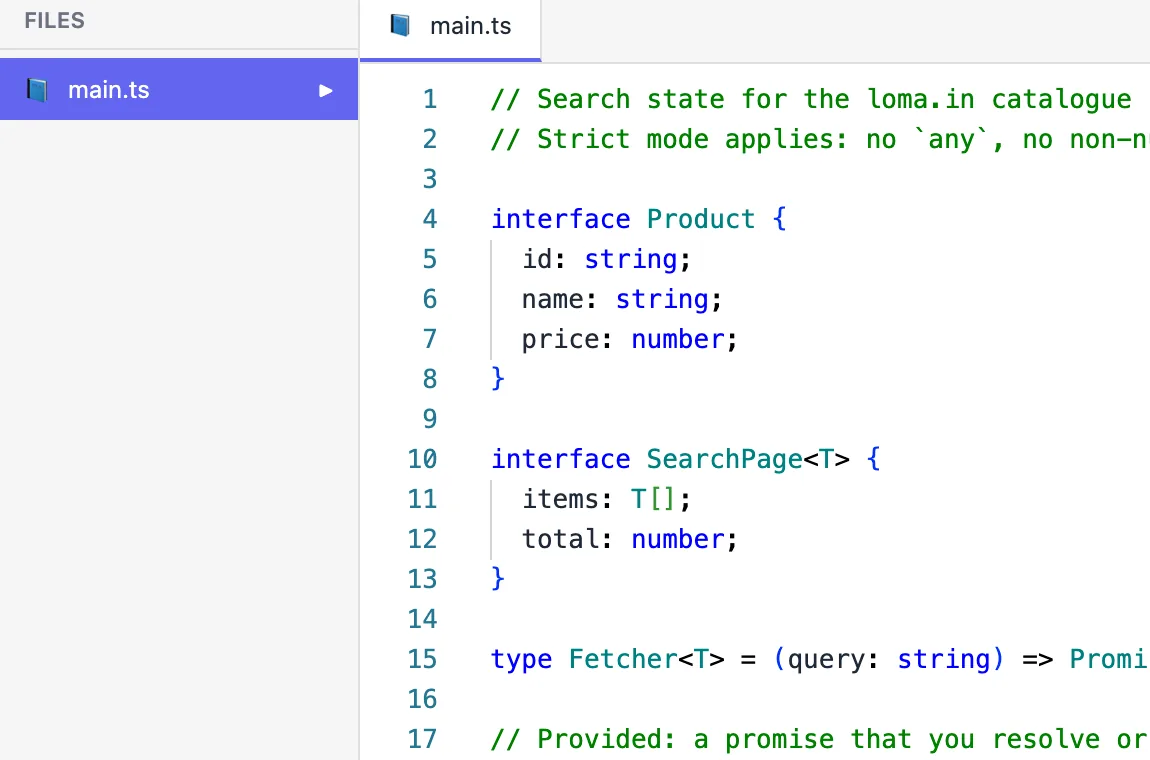
What a strong candidate did: Kept only the latest request’s results, gave loading, empty and error their own states with a retry, and wrote tests that reproduce the out-of-order case.
Web code in the browser, then a short note
Fix the slow, jumpy catalog grid
Field data for the catalog page on mobile shows the main image loading in 3.8 seconds and the layout jumping as it loads. Product and the founder want it back inside Google’s “good” thresholds. The candidate owns the frontend.
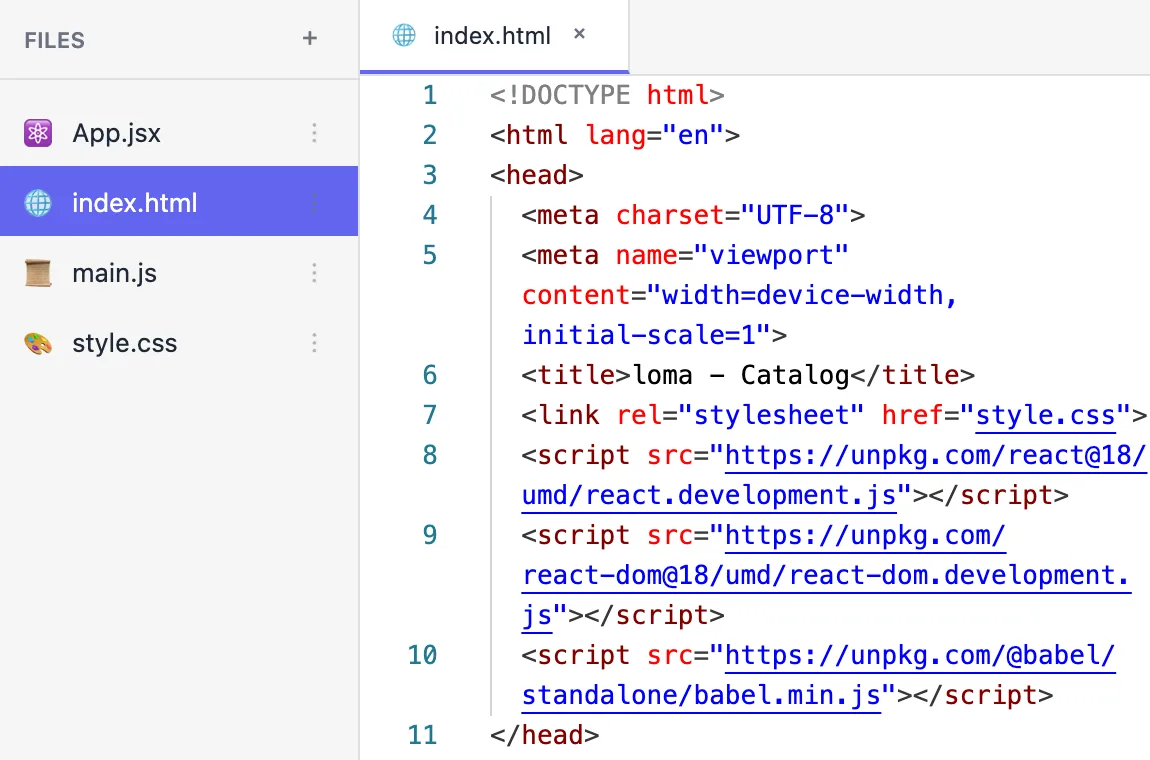
What a strong candidate did: Reserved space for images so nothing moves, loaded the first visible image first and the rest lazily, and explained which change moved which number and how to confirm it in field data next week.
How the decision gets made
With Gateway, each mobile developer candidate works on situations from your job description, written in the language and framework your app uses: an action that must survive going offline, a crash pattern to trace, a notification that opens the wrong screen. Candidates work in code and explain their reasoning in a written note or a recorded walkthrough. Your product or engineering lead sees each skill scored with the reason, opens the candidate's work read-only, and meets only the people who thought past the happy path.
See your next mobile developer at work before you meet them
Paste your job description and Gateway writes the assessment in about 5 to 10 minutes. Your team can edit every question before it goes out.
Questions
Our app is cross-platform. Can the assessment follow our stack?
Yes. The tasks come from your job description, so they use the framework and language you name, whether that is Swift and Kotlin, Flutter or React Native. Your team can edit every question first.
Can candidates explain release and store decisions, not only write code?
Yes. A task can ask for a written note or a recorded walkthrough, so you hear how the candidate would handle a rejected build or a staged rollout as well as seeing the code.
How do results reach the hiring manager?
Results can be shared with a note. The manager sees a score, written feedback and a tier from 1 to 5 for each skill, and whether the candidate meets your line, and can change any score.
Do candidates need a phone to take the assessment?
No. Work assessments need a laptop or desktop and one link. Each step tells the candidate what it involves before the candidate accepts it.
Related